Demos / Monday desk
Sixlinked demoMicrosoft 365
An assistant that works the overnight orders mailbox. A person sends.
An assistant that works through the overnight orders mailbox. It files attachments, adds rows to the tracker workbook and writes reply drafts for the office manager. It has no way to send anything itself.
- Made-up business
- Harbour Lane Provisions
- Staff in the film
- Luca Marino, Office manager
- Recorded
- 21 November 2026
What we measured.
Where it missed.
A delivery-issue email was logged as late with a product, "Cup lids 8-12oz", where the expected entry was late with no product.
An email about a problem with today's delivery was left for a person ("Customer is asking for a credit, which must be handled by a person.") when a person was not needed. So the issues log had no entry for it (it should have been logged as damaged, for Maple syrup 1L), and no reply draft was written.
What it does not show
- It runs against a local stand-in that follows Microsoft Graph's shapes, with real Excel and Word files. It has not been connected to a live Microsoft 365 tenant.
- The emails are synthetic and written from a fixed set of templates. The figures describe this family of emails, not every office's mail.
- Nothing is delivered anywhere. Send moves a draft to a local Sent folder.
What staff see.
Screens from the recording. Scroll sideways, or use the arrow keys.
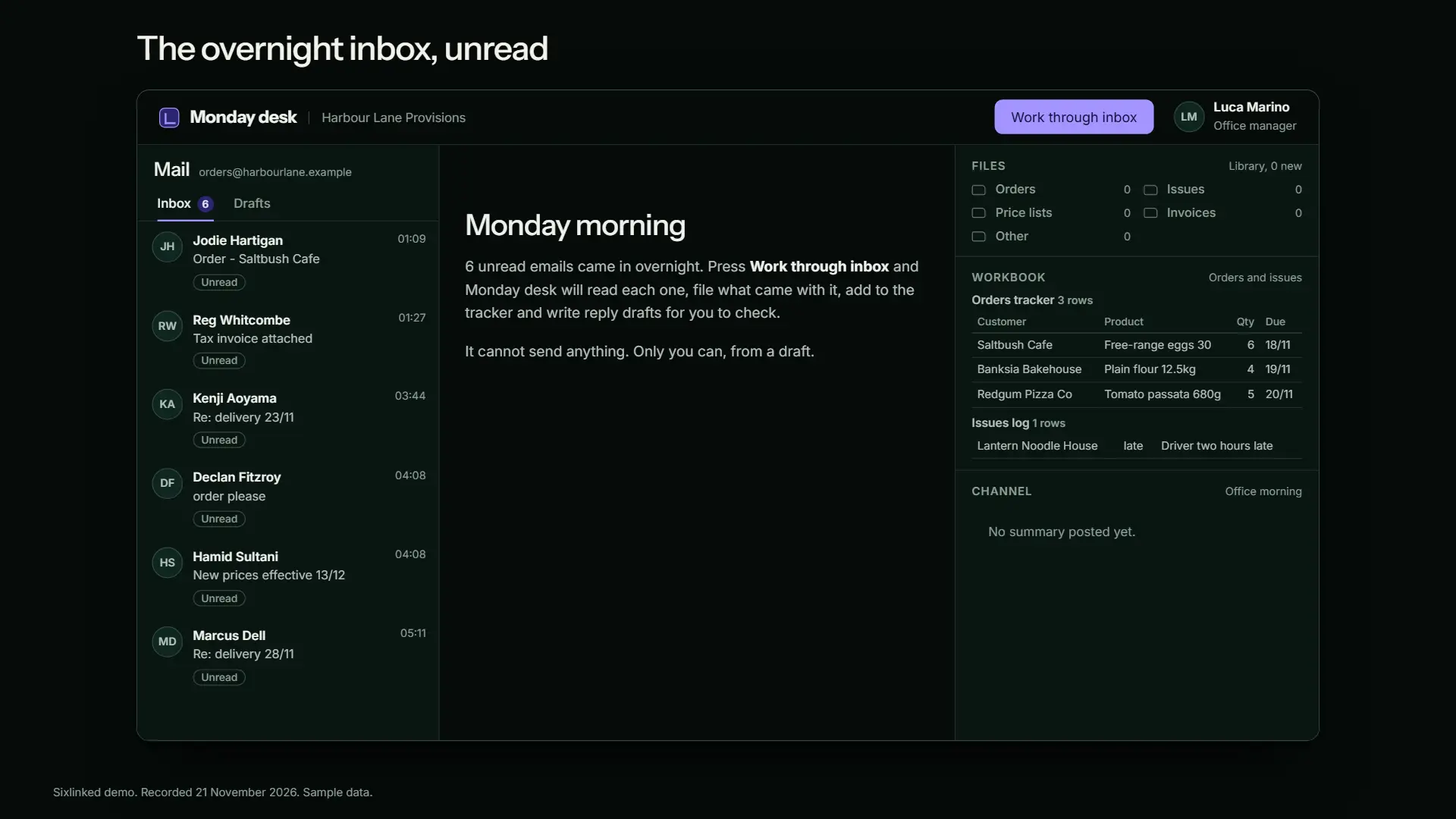
1The overnight inbox, unread 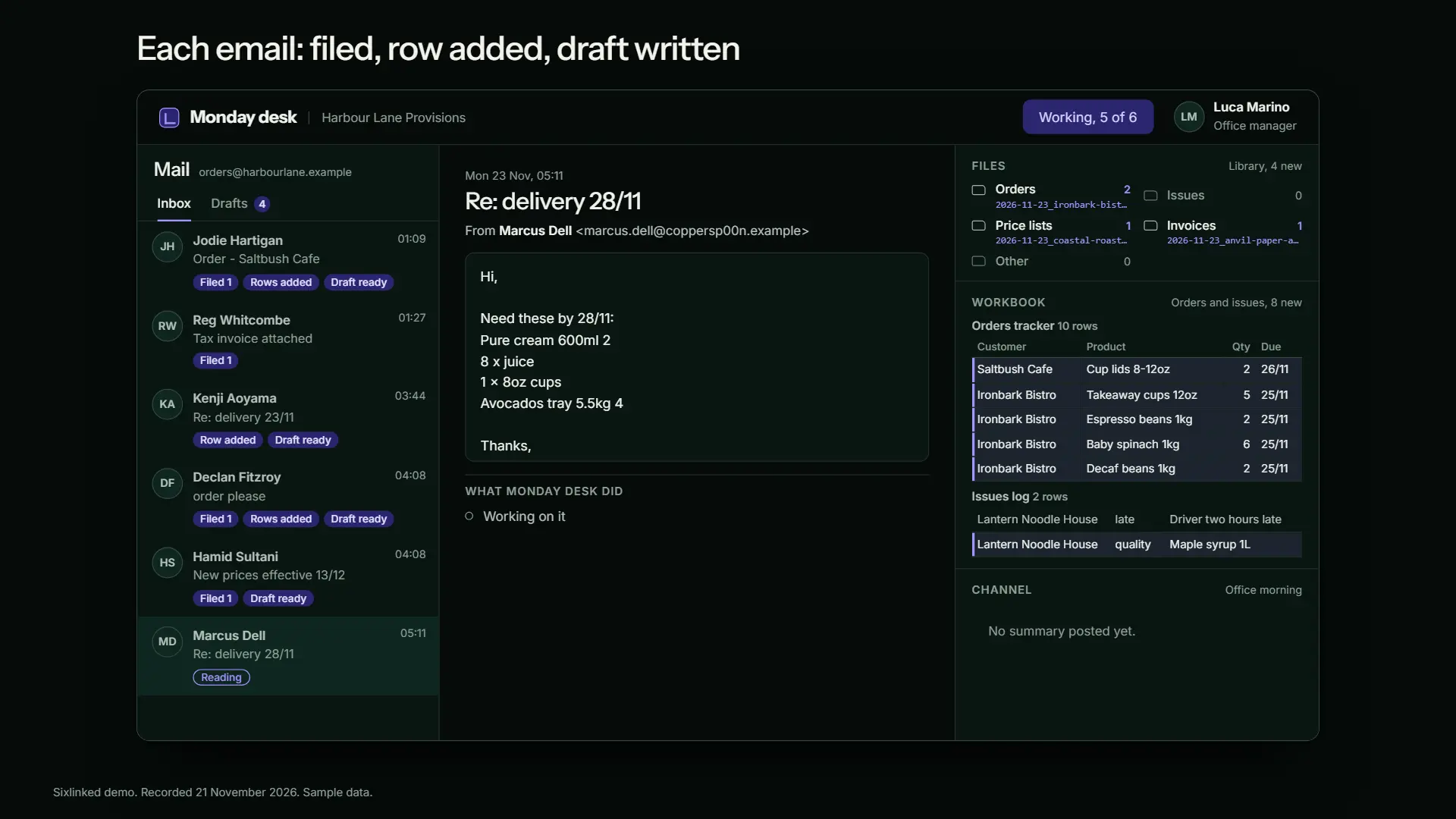
2Filed, row added, draft written 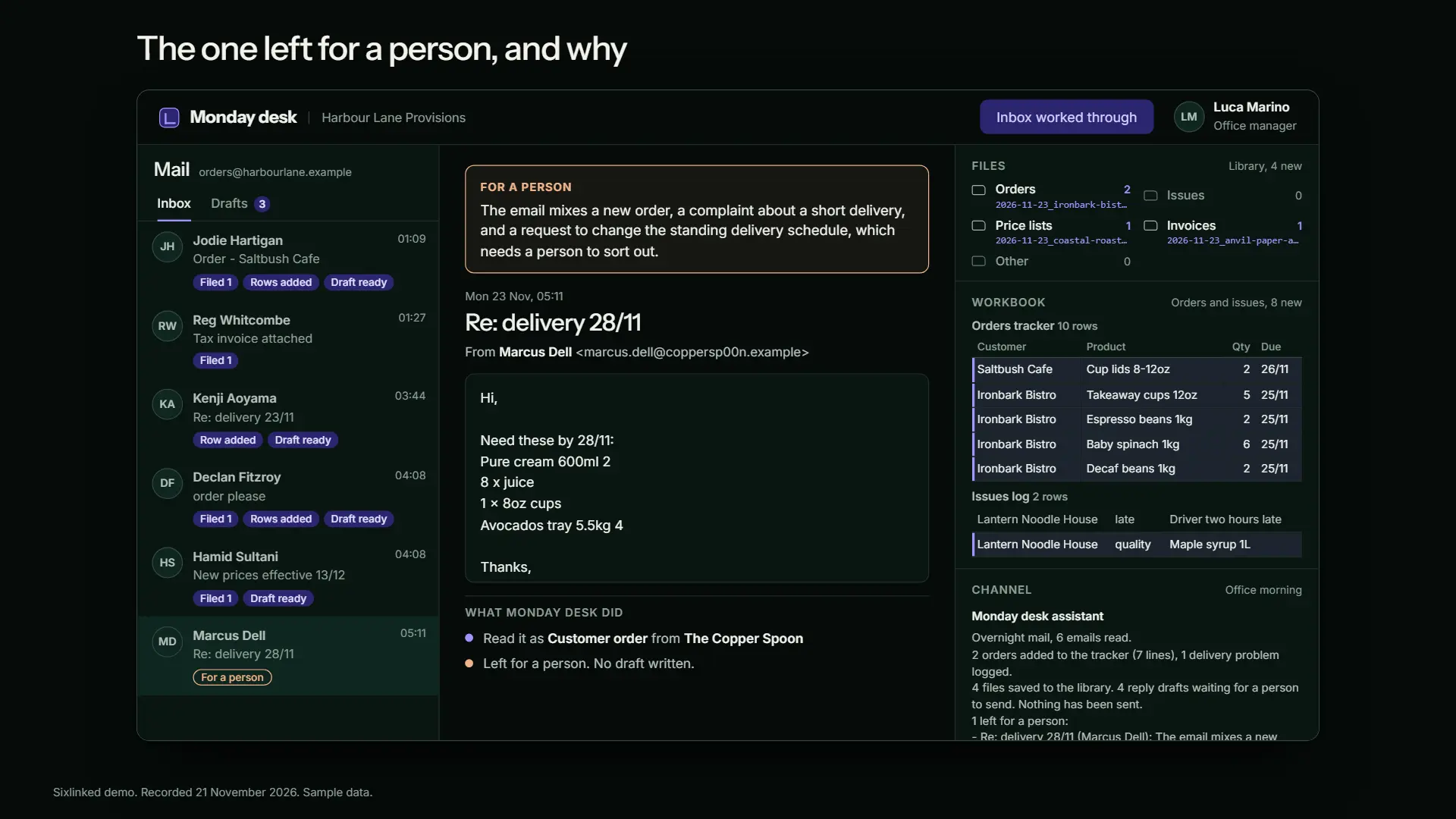
3Left for a person, with the reason 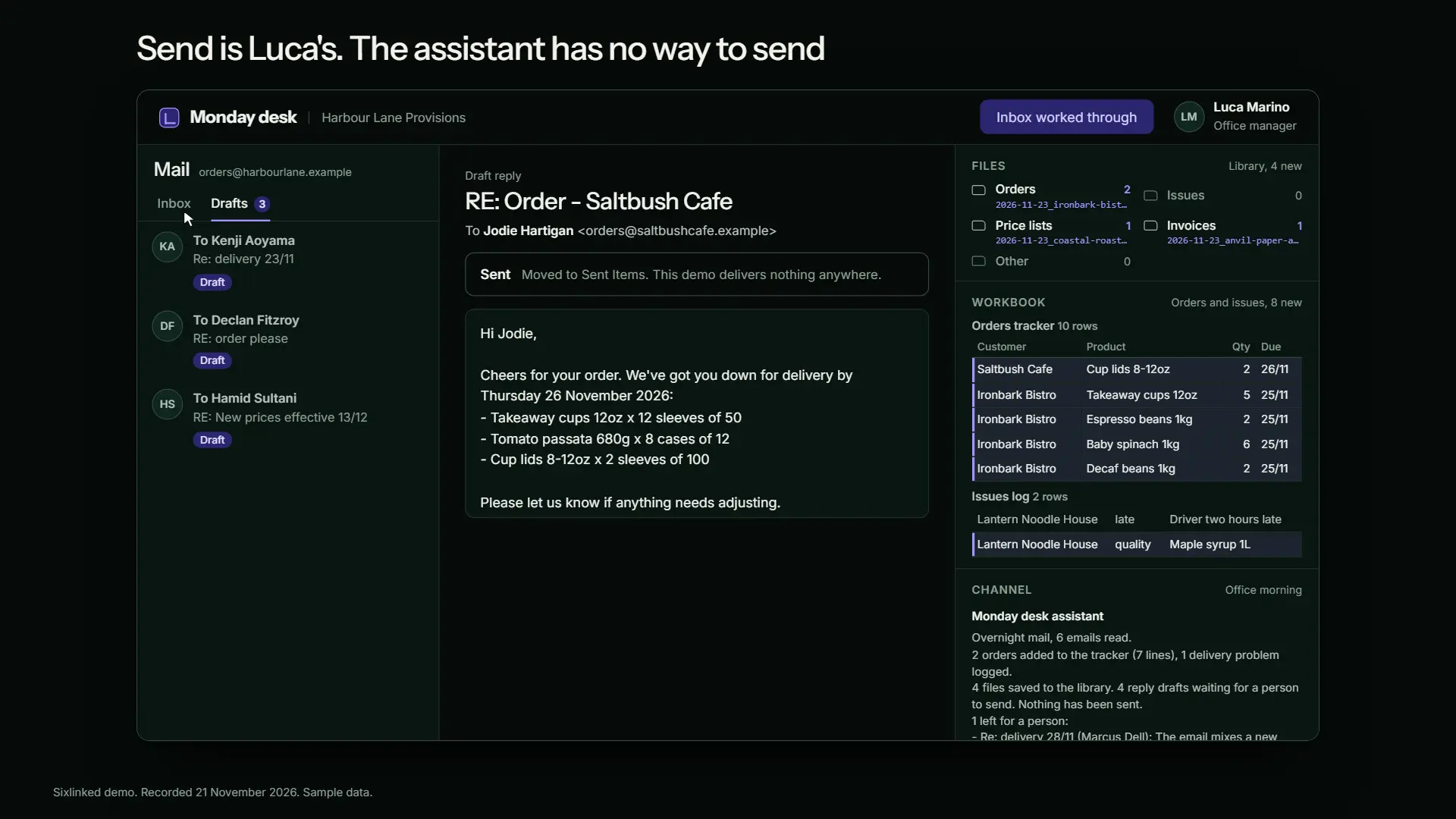
4Luca sends, not the assistant 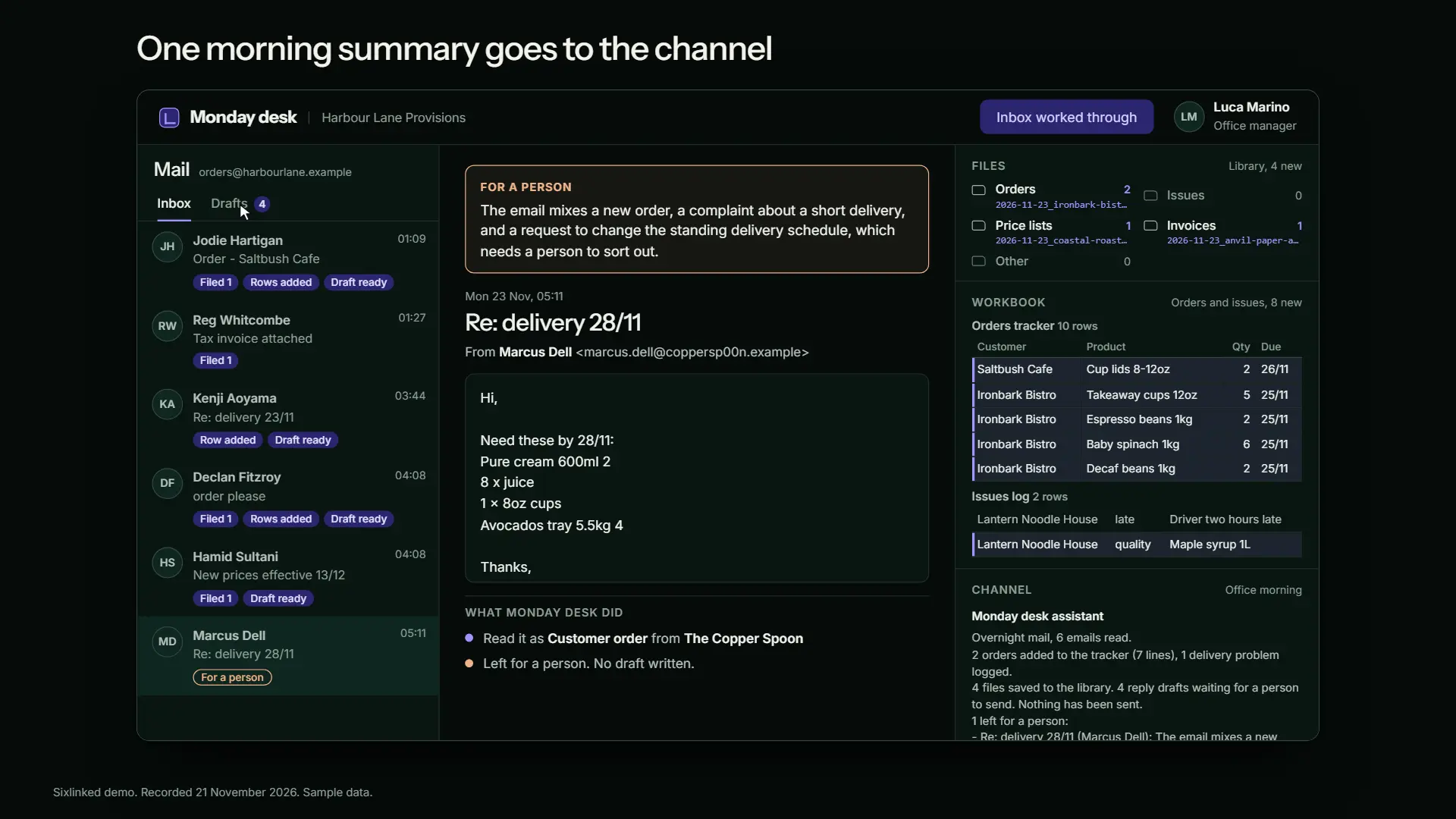
5One morning summary in the channel
How it was built and tested.
- The assistant reads each email and its attachments, and the model returns one structured decision: the kind of email, the details, a folder for each attachment and a draft reply.
- Code checks every decision against the known customers, suppliers, products and folders, then makes each call itself through a local stand-in that follows Microsoft Graph's paths and JSON shapes. The model has no tools and the stand-in has no send endpoint for the assistant.
- A suite of 40 emails, written by seeded code and frozen before scoring, was run once. The result was checked by opening the .xlsx workbook with openpyxl, listing the library folders and reading the Sent folder.
- Sending exists only as the Send button in the staff app, which moves a draft to a local Sent folder.
About this recording
Waits for the model are shortened, the typing of one edit is shown at a steady speed, and the staff clicks are scripted; every decision, file, row and draft is what the software did in that run.
- Recorded
- 21 November 2026
- Model
- Claude Sonnet 5
- Model runs behind it
- 78 in total, across building and testing
- Real time of the session
- 54 seconds over 6 steps
Let's talk
Want a Microsoft 365 job like this?
Tell us what the work is today, who does it, and who should decide when something is doubtful.
You will get a reply by email from Matthew, the engineer who would do the work.
Your enquiry goes straight to our inbox. We use your details only to reply to you. Privacy